Sign-in and roles
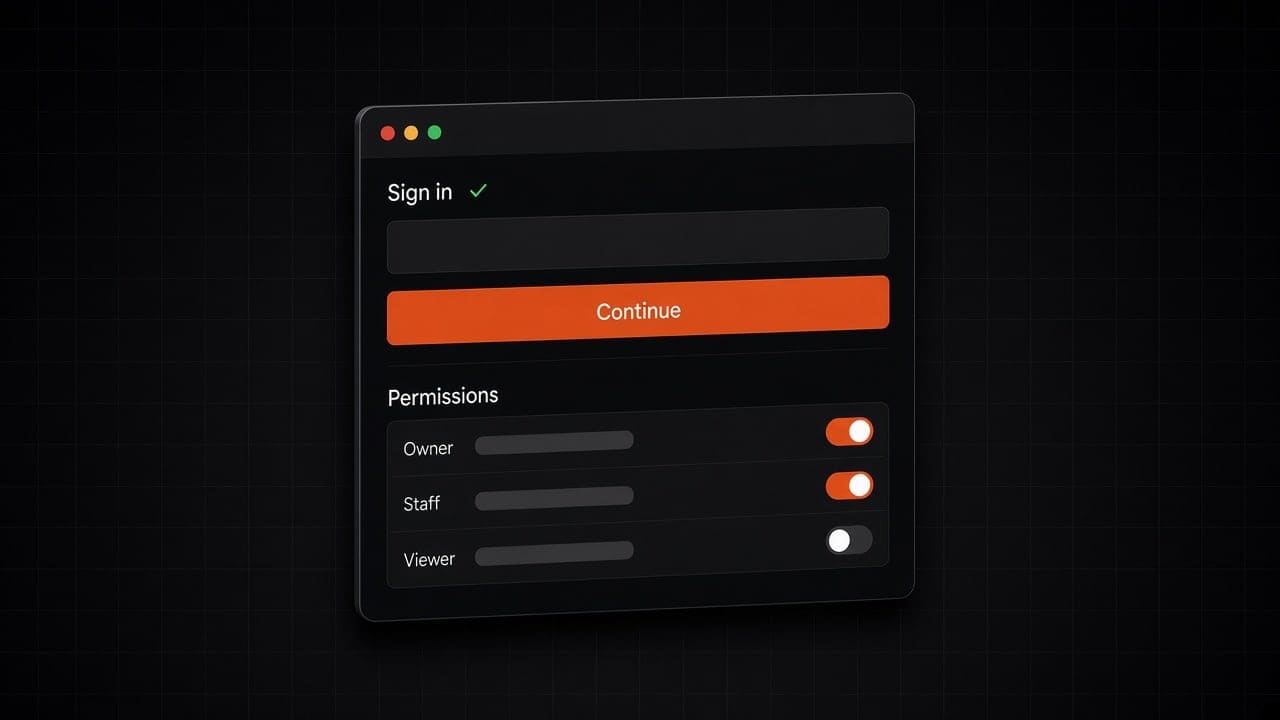
Each person signs in with their own account. They only reach the tools and records their role allows.
Platform
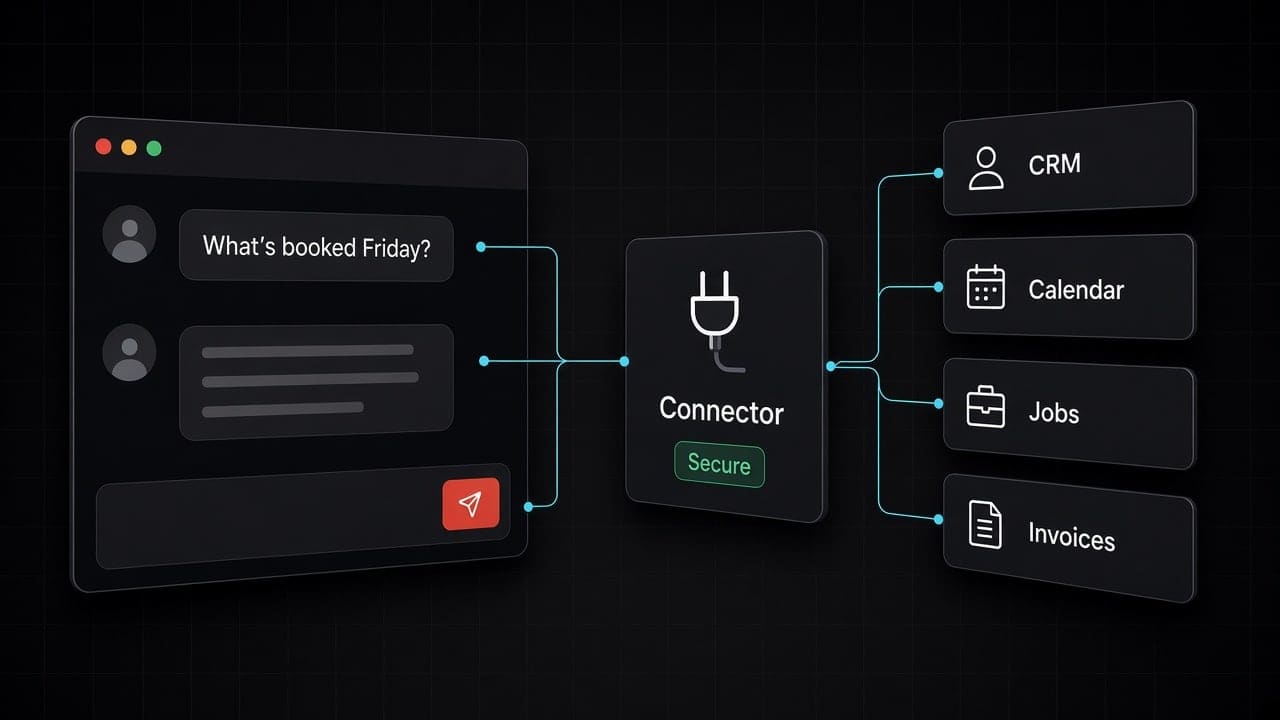
AI assistants like Claude and ChatGPT are smart, but they can’t see your business. We build a safe connector between your AI and the tools you already use. Build it once. Use it with the AI tools your team already likes.
The shift
Your AI assistant doesn’t know your customers. It can’t check your calendar. It can’t look up a job. So someone copies and pastes, and the answer is only as good as what got pasted.
We fix that with MCP, short for Model Context Protocol. It is an open standard, now looked after by the Linux Foundation, that lets an AI assistant plug into your tools through one common connector. It works with Claude, ChatGPT, Copilot, Cursor and more. We build it on Cloudflare, so it’s fast, secure and ready to grow.
The outcome
Your team asks plain questions about your CRM, jobs or inventory and gets real answers. Read-only to start.
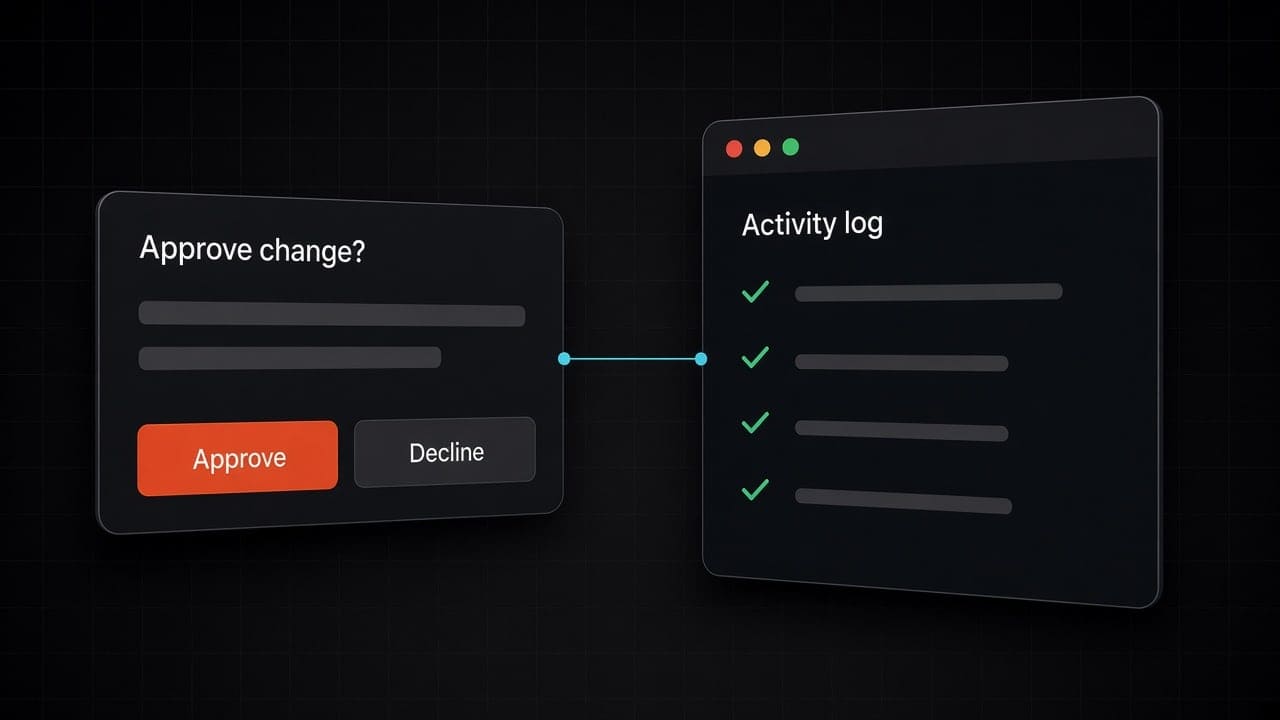
Tools that book appointments, log calls, draft invoices or update a job. Each one asks for a yes before it acts.
All your AI connections behind one sign-in, with rules for who can use what, and a record of every action.
One connector works across the AI tools your team uses. If you switch AI tools later, the connector comes with you.
Where it earns its keep
“What’s booked for Friday?” “Which quotes are still open?” The assistant reads the answer from your tools. It can’t change anything.
“Log this call and set a follow-up for Thursday.” The assistant shows you the change and saves it after you say yes.
Find who is free after 2pm, suggest who takes the job, and book it once a person confirms.
The same connector can also feed the chat and voice assistants we build for you, so they answer from your real records instead of a copy. See our AI assistants
The operating model
From first conversation to a system that runs itself.
We map how the work gets done today, including the calls only a person should make, and agree on it before anything is built.
Built on Cloudflare and connected to the tools you already use, so nothing has to move.
Tested on your real work from last week before any customer sees it.
We launch with close monitoring, keep it running, and you can change the rules at any time. It’s yours to keep.
The decision
Copy and paste, a plug-in for each tool, and one safe connector are not the same thing.
| Off the shelf | Hire in-house | Abracadabra | |
|---|---|---|---|
| What the AI can see | Whatever someone pastes into the chat, or one tool per plug-in. | What one person wires up, when they have time. | Only the tools and records you allow. |
| Who approves a change | It depends on each plug-in. | Whatever rules the person writes down. | A person says yes before anything is changed, sent or spent. |
| What gets recorded | Each tool keeps its own history, if any. | Logs, if someone set them up. | One record of every action, in one place. |
| When you don’t need us | If the tool you use already has a good official connector, use it. Many now do. | If a nightly sync or a simple trigger does the job, you don’t need AI at all. | Our advice: connect to what exists. We build when your tools have no connector, or when you want them all behind one safe front door. |
Built in
Each person signs in with their own account. They only reach the tools and records their role allows.
Anything that changes a record, sends a message or spends money shows the change first and waits for a person to approve it.
Every question and every change is logged, so you can see what the AI did, for whom, and when.
Running in production today.
Priced to the project. Tell us what you need and we’ll quote it.
Questions, answered
faq-title
MCP stands for Model Context Protocol. It is an open standard that lets an AI assistant plug into your tools through one common connector, instead of a custom link for each AI tool.
Claude, ChatGPT, Copilot, Cursor and more. Some features depend on your plan with that AI company. We check yours before we build.
Only what you allow. We start read-only. Anything that changes a record, sends a message or spends money asks a person for a yes first.
Maybe not. Many tools now offer their own. We connect to those, and only build what is missing.
We keep each tool’s access narrow, treat what the AI reads as untrusted, and log every action. Permissions are checked by the connector, not left to the AI.
Priced to the project. Tell us what you need and we’ll quote it.
Tell us which tools your team uses most, and we’ll show you what your AI could do with them.